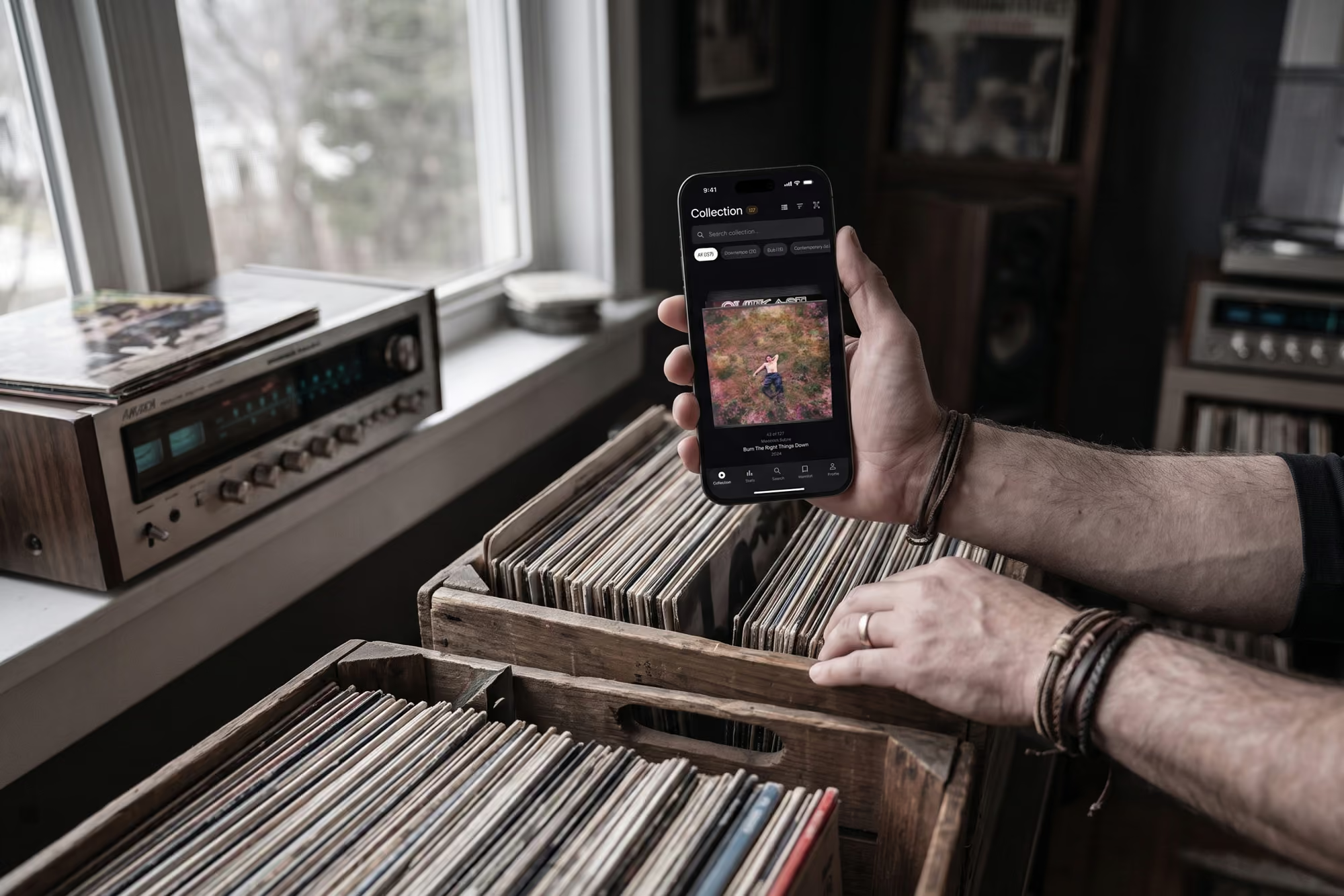
See who's on every record you own
Every record has a crew behind it: the players, the producer, the engineer who cut it, the plant that pressed it. Connections shows you who they are and which of your other records they turn up on, so your collection stops being a list and starts being a map.
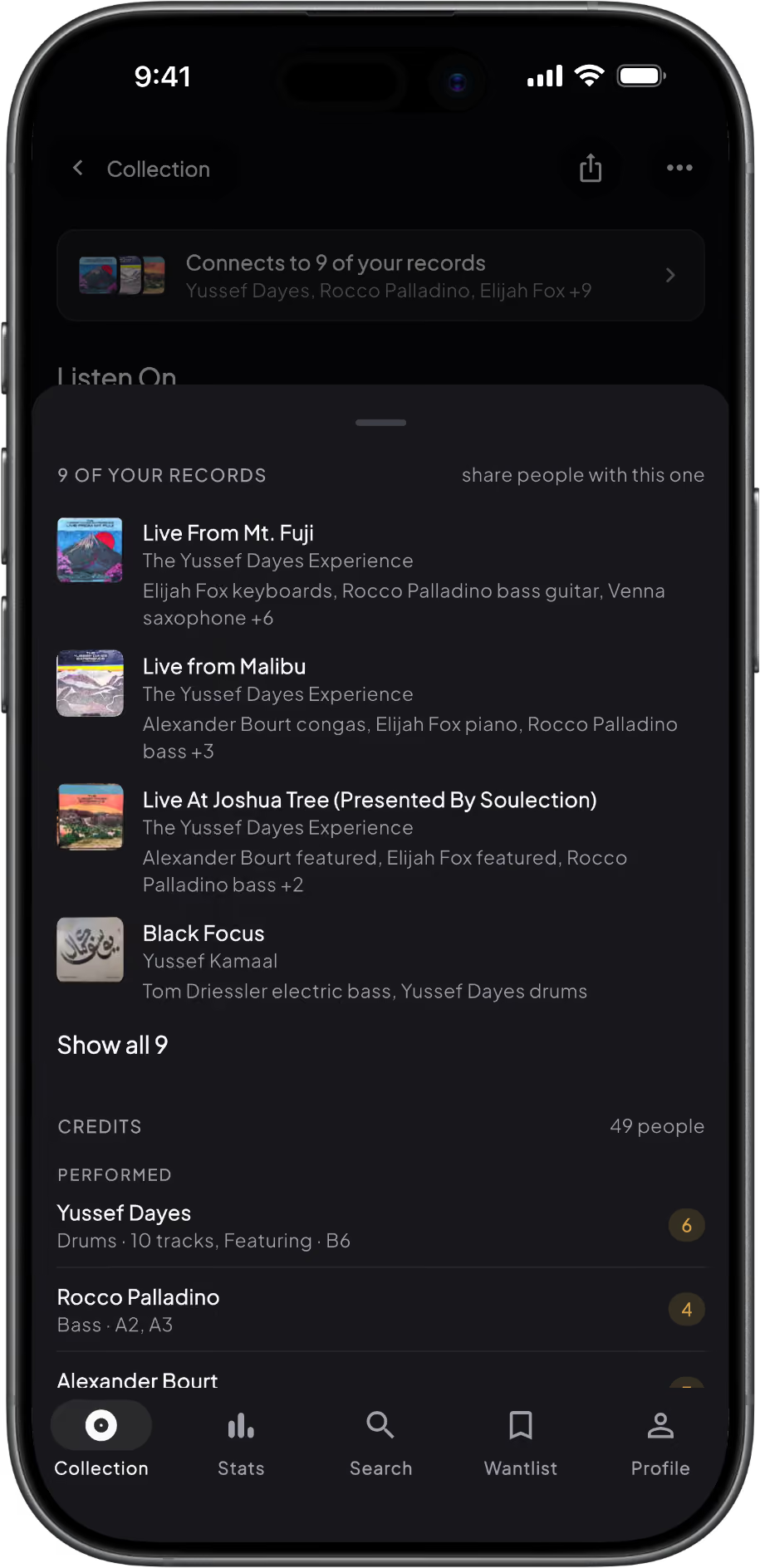
How to see who played on your records
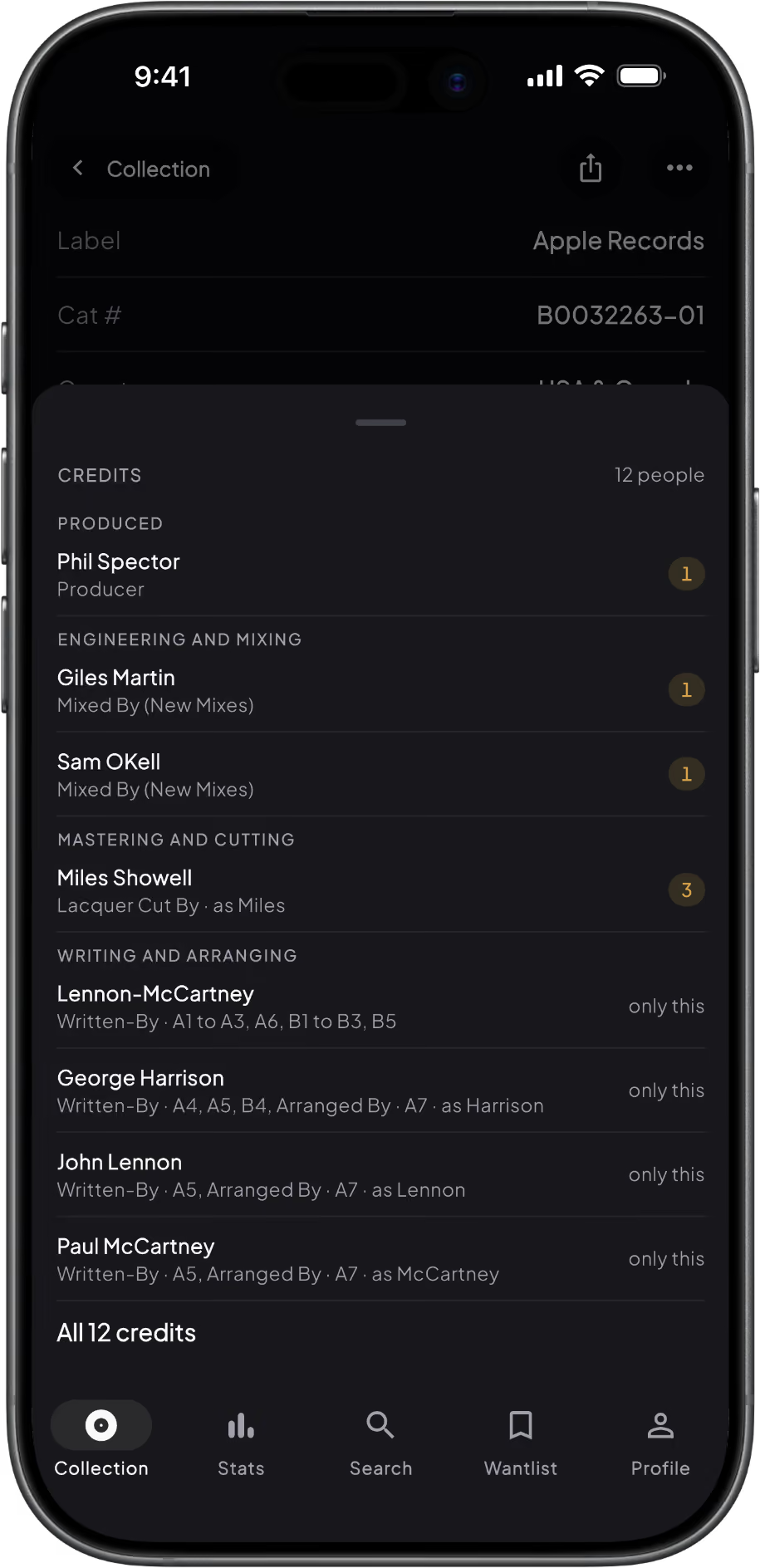
1. Open any record
Every record page has a Credits row listing everyone on it, grouped by role: musicians, producers, engineers, mastering and cutting, studios and pressing plants. Each name carries a gold count of how many of your other records they are on, so the session drummer who turns up on eight of your soul records stands out straight away.
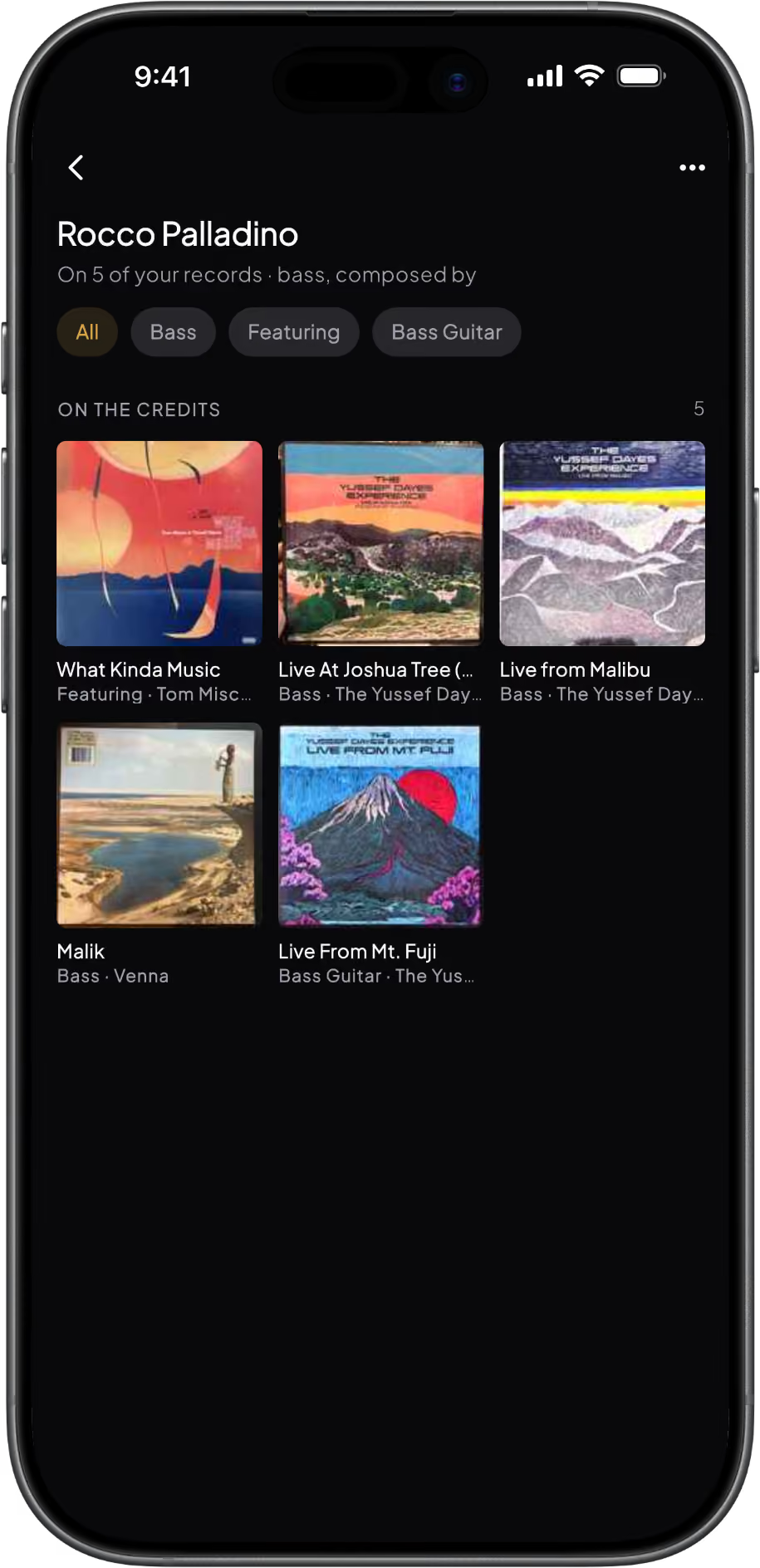
2. Follow a name
Tap a drummer, producer, label, pressing plant or studio to open their page: every record of yours they appear on. Label pages list your records with their catalogue numbers, sortable by year or catalogue number. Records where they are the main artist are free; the records where they played, produced or engineered (On the credits) are Pro.
3. Watch the threads appear
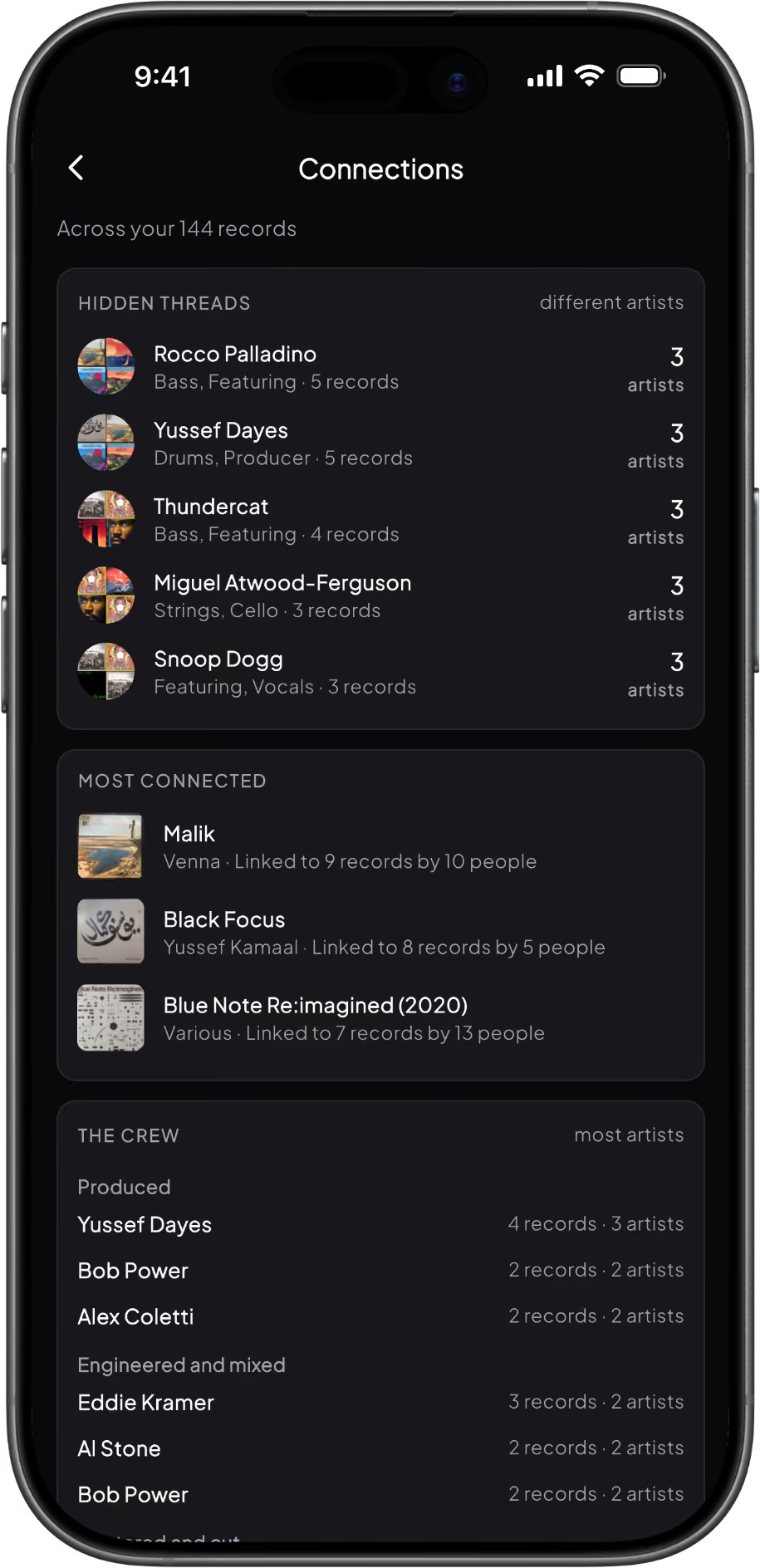
Add a record and Groovv tells you what it connects to, like "Connects to 9 of your records. Same drummer as Black Focus." Search finds records by the people on them. Once your collection passes 50 records, Stats shows a new connection every Monday, and Pro opens the full Connections screen: hidden threads, your most connected records, the crew, the factories and the labels.
What Connections shows you
Credits are where the best collecting rabbit holes start. These are the ways in.

Credits on every record
Everyone on the record, grouped by role, each with a gold count of how many of your other records they are on. Tap the artist, label, pressing plant or studio to go deeper.

Person and label pages
Every person and label gets a page of your records with them on it. See every record you own from one label, sorted by year or catalogue number.

This week's connection
One fact about who links your records, new every Monday in Stats, for collections of 50 records or more. The kind of thing you'd never spot flicking through the shelf.

The full Connections screen
Hidden threads between records, your most connected records, the crew who turn up again and again, the pressing plants behind your collection and the labels it leans on.
Credits on every record, person and label pages, This week's connection and searching by the people on your records are free. Pro adds the list of records each record connects to, On the credits on person pages and the full Connections screen.
Free vs Pro: Connections
Credits come from Groovv's own catalogue, built from Discogs release data, so they work for any record matched to a Discogs pressing, whether you scanned it, searched for it or imported it. You don't need a Discogs account.
Questions
Where do the credits come from?
From Groovv's own catalogue, built from Discogs release data. That covers the musicians, producers, engineers, mastering and cutting engineers, labels, pressing plants and studios credited on each pressing. Browsing them doesn't touch your Discogs account, and you don't need one.
Is Connections free?
The basics are. Credits on every record, person and label pages, tappable links, This week's connection and searching by the people on your records are all free. Pro adds the list of records each record connects to, the On the credits section on person pages and the full Connections screen.
Can I see every record a producer worked on?
Every record of yours they're on, yes. Tap their name on any record to open their page. Records where they're the main artist are free; the records where they played, produced or engineered (On the credits) are Pro. Groovv shows your collection, not their whole discography.
What is This week's connection?
One fact about who links your records, in Stats, that changes every Monday. It appears once your collection has 50 records or more, and with Pro it opens the full Connections screen.
Why does a record have few or no credits?
Credits come from the release data for that exact pressing, so a record entered by hand, or a pressing with sparse data, may show few or none. If your copy is matched to the wrong pressing, Change pressing swaps in the right one along with its credits.
Find out who's really on your records
Download Groovv free, add a few records and tap a name. The threads start showing up sooner than you'd think.
Keep reading
How to Catalogue and Organise a Vinyl Collection